
Pay as usual
Whichever bank is linked to your GPay, PhonePe or Paytm, you pay exactly the way you do now.
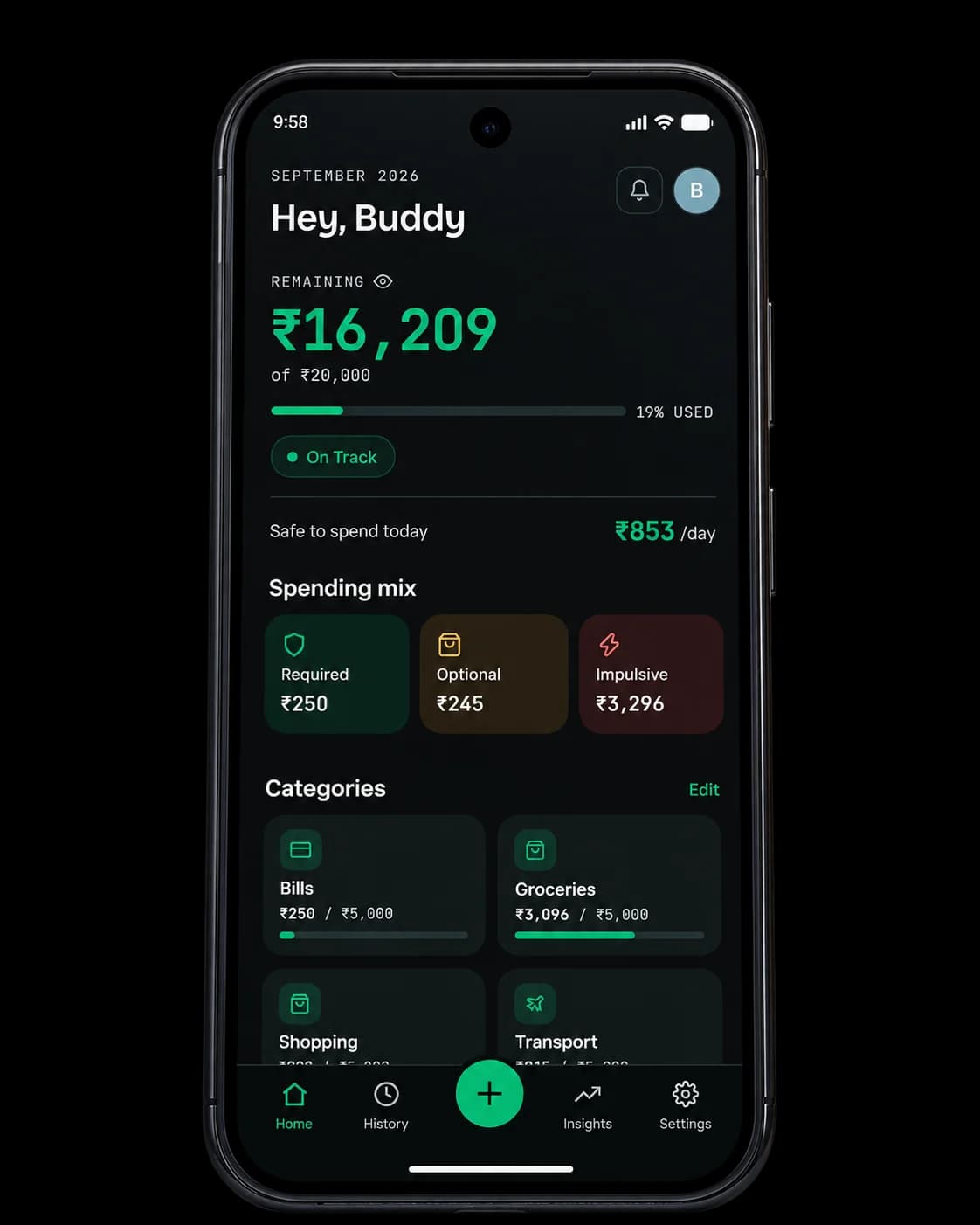
Some apps read your SMS. Some want your bank credentials, or want you to move your salary to their bank. Spenrol works with the bank you already have: share a payment screenshot or type the spend in, and you never hand over a login.
Bills
UPI · 12 Sep
SMS-reading apps parse the messages your bank sends you. They don't get your credentials, but they do read your whole inbox, not only the bank alerts. Bank-linked apps ask for more: your account login, or a new account opened with them before the budgeting features work.
Jupiter is the clearest example of the second kind. It's a Federal Bank savings account, so its pots and insights only see money that goes through Jupiter. If your salary lands in HDFC or SBI and you pay with PhonePe, most of your spending never shows up there.
Spenrol needs no SMS access, no bank login and no new account. You log the spend, and the bank it came from doesn't matter.
Whichever bank is linked to your GPay, PhonePe or Paytm, you pay exactly the way you do now.
Share the payment screenshot to Spenrol, or enter the amount yourself. Your bank account never comes into it.
Check the category, tag the spend required, optional or impulsive, and it counts toward that month’s budget and Smart Spending Score.
| Feature | Jupiter | Spenrol |
|---|---|---|
| Bank account or login | Required | Not needed |
| Works with your existing bank | — | |
| SMS access | Not needed | Not needed |
| Intent tags (required/optional/impulsive) | — |
Full breakdown: Spenrol vs Jupiter
No bank login needed
Free on Android. No SMS access, no card required.
Something else? Write to [email protected]
They ask for different things. SMS-reading apps like FinArt parse the messages your bank already sends you, so they need access to your inbox but not your credentials. Bank-login apps want your account credentials, or want you to open an account with them. Spenrol asks for neither.
Jupiter is the clearest example. It's built on a Federal Bank savings account, so its pots and spending insights only cover money in a Jupiter account. If you're happy with your current bank, opening a new one just to track spending is a lot to ask.
You share each payment with it. Send a GPay, PhonePe or Paytm screenshot to Spenrol and it fills in the amount, merchant and category, or type the spend in. At no point does it ask for bank credentials.
Yes. HDFC, SBI, Axis, ICICI or any other bank. You're logging the UPI payment, so it doesn't matter which account it came from.
Yes. Free on Android, no ads, no paid tier.
Yes: nothing shows up on its own. You log each payment yourself, by screenshot or by hand. If you miss one, Spenrol won't know about it. In exchange, your bank credentials stay with you, and you look at every spend at least once.
“Being able to classify expenses as Required, Optional, or Impulsive makes it easier for me to understand my spending habits. It also makes me think twice before spending on something impulsively.”
Free on Android. No bank login, no new account, no SMS access.

Scan to download on your phone