
Zero-based budgeting
Split your monthly budget across categories until there's nothing left to assign, then see what's left in each as you spend.
Most expense managers in India either read your SMS or ask you to link a bank. Spenrol does neither. You set a monthly budget, log UPI, cash and card spends from a screenshot or by hand, and tag each one required, optional or impulsive.
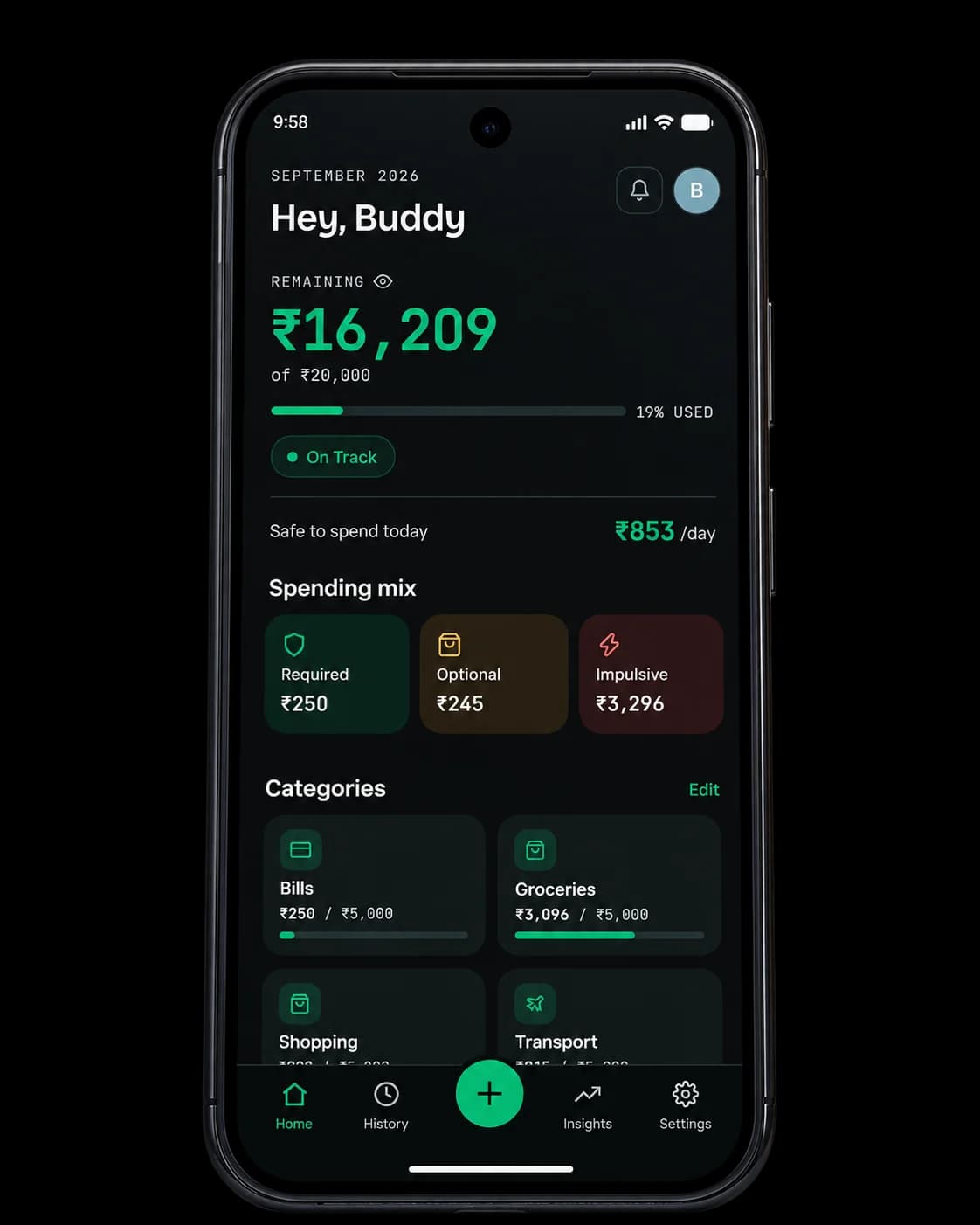
Safe to spend today
₹853/day
₹16,209 left · 19 days to go
Search for a budgeting app in India and you mostly find two kinds. SMS trackers read your bank messages and sort payments into categories automatically. Manual ledgers have you type everything in and sort it yourself. Either way you end the month with category totals.
A total of ₹8,400 on food tells you it was a lot. It doesn't tell you that ₹3,100 of it was late-night ordering, or that it happens every payday week.
Spenrol adds that missing piece. When you log a spend you tag it required, optional or impulsive, and the month's tags add up to a Smart Spending Score. You can see which habit to change, which is more useful than knowing which category was high.
Rent, a phone EMI, and a habit of ordering in on weeknights. Here's what the budget says about the month, and what the intent tags add.
| Category | Budgeted | Spent | Impulsive |
|---|---|---|---|
| Rent & bills | ₹18,000 | ₹18,000 | 0% |
| Food & groceries | ₹6,000 | ₹7,850 | 61% |
| Transport | ₹2,500 | ₹2,100 | 5% |
| Shopping | ₹3,000 | ₹4,200 | 78% |
| Personal & other | ₹7,500 | ₹6,900 | 35% |
| Savings | ₹8,000 | ₹8,000 | — |
Food and shopping went ₹3,050 over budget between them. The budget alone says where. The tags say why: most of the extra in both categories was impulsive, so the fix for next month is ordering in less, rather than raising the food budget.
Free on Android.
No SMS access, no card required.
Split your monthly budget across categories until there's nothing left to assign, then see what's left in each as you spend.
Tag every spend required, optional or impulsive. Categories say where the money went; the tag says why.
A 0–100 score for the month, based on your tags and whether you stayed within budget.
Shared a dinner bill four ways? Turn on Split and only your share counts against your budget.
No SMS permission and no bank login. Your data is never sold or shared.
Paid on GPay, PhonePe or Paytm? Share the payment screenshot to Spenrol and it fills in the amount and merchant.
Something else? Write to [email protected]
It depends on how much work you want to do. SMS-based trackers like axio (formerly Walnut) or MoneyView log payments for you automatically, but they need to read your messages. Spenrol needs neither SMS nor bank access: you set a monthly budget, log each spend from a screenshot, and tag it required, optional or impulsive.
Yes. Free on Android, with no ads, no paid tier and no limit on transactions or categories.
No. You add each spend yourself: share a UPI payment screenshot and Spenrol fills in the amount, merchant and category, or type it in. The screenshot is read on your phone and not uploaded.
A spreadsheet can do anything if you build it. Spenrol comes ready: category budgets, a daily safe-to-spend figure, screenshot capture, and a required/optional/impulsive tag on every spend that feeds a monthly Smart Spending Score.
Yes. After paying on Google Pay, PhonePe or Paytm, share the success screen to Spenrol. Your bank login and account details never come into it.
Yes, it's built around it. Enter your monthly budget, split it across categories like rent, food, transport and shopping until nothing is left unassigned, and Spenrol tracks what's left in each as you spend.
Not yet. It's on Android now, free on Google Play. Join the iPhone waitlist and we'll email you once, when it's ready.
“Being able to classify expenses as Required, Optional, or Impulsive makes it easier for me to understand my spending habits. It also makes me think twice before spending on something impulsively.”
Everything on this page is in the Android app today, free. We're also working on a budget check that appears before a UPI payment goes through. It needs a UPI licence, and it'll be a free update when it's ready.

Scan to download on your phone